Best Blogger Tips
Showing posts with label computer pranks. Show all posts

MOUSE MOVE PRANK

Want some really good prank? So here it is a program that can run hidden to move the users mouse cursor to random positions on the screen.

When you run Mouse Move you will be sent to a configuration screen where you can setup how you want your mouse to move. You can set a
variety of options for Mouse Move within one easy to use interface. You can specify the interval of time between each move, the amount of space to move the cursor and in which direction.

Once you are ready, you can either run Mouse Move or save off the configuration so the next time it runs the configuration file is used (no user interface). If you have created a mousemove.ini file and want to edit it again, please delete the mousemove.ini file and run the software again.


Reminder: How To Close This Program? =Move your mouse pointer to the TOP LEFT corner of your screen. This will stop the program from running in memory. If you have successfully moved your mouse in the correct position, the program will close and display an About Box Screen. Once you close this screen, the program will exit. Exiting the software will allow Windows to delete the file.

Download Here


By Dude

BLUE SCREEN OF DEATH PRANK


BlueScreen of Death error in Windows has driven lots of users to the fringe of computer homicide. Tap into the river of pain by installing the BlueScreen of Death Screensaver on a friend's machine
. It's available at Microsoft's IT website Technet, but there are several others out there. Just make sure it doesn’t have a real virus.


What’s likely to happen? The victim will reboot his machine by hitting the restart button. Hopefully, they didn't save their work

Credit (wired)

By Dude

PRANK YOUR FRIENDS USING PRINT SCREEN...lol

You know the use of Print screen button on the keyboard [present on top right above insert] .
It captures the screen , right ? yes.
Okay..But now I will tell you how to use it for some fun .:)))


Follow this:
->Take screen shot of the desktop by pressing Print Screen on the desktop .
->Go to Paint and paste this .
Save it .

For Windows XP users

1) On the desktop right click -----> arrange icons by ----> De-select 'Show Desktop Icons '.
2) Now right click the taskbar and select properties .
3) Check auto hide the taskbar. Click OK.
4) Now change your wallpaper and keep the one you saved earlier.
5) If paint is not closed, select File ---------> 'Set as background (Centered) '.

Now on the desktop even if you click any icon nothing will happen !!!
Try this on your friends pc and watch their reactions.. LOL..
reminder : To revert back to normal.
Change the wallpaper and select 'show desktop icons' on the right click menu .

By Dude

REMOTELY MONITOR FRIENDS WEBCAM

Are you curious for what your friend or neighbors doing privately?? Be a spy!! Spy on your victim through his webcam, record the scene, then show a compilation of his private doing's.


You can do this through remote-monitoring programs, such as WebCam Monitor on Windows; and even do it through an iPhone using Telekinesis, an iPhone app that allows you to take pictures on a Mac laptop using its built-in iSight camera.


Reminder: Im not responsible if you get caught on action.


By Dude

DOOM VIRUS (prank)

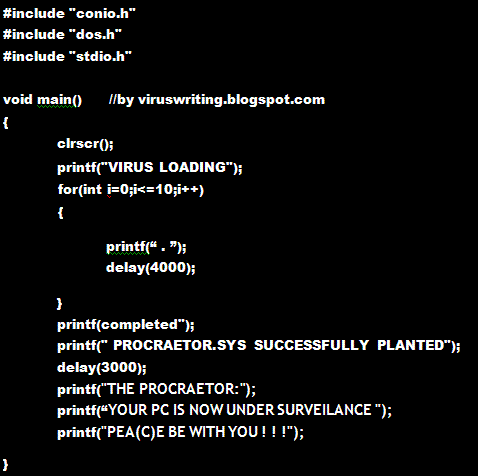
This is not actually a virus but a practical joke. It will make your victim believe that his system is under seize and is infected. 
Remember you need to compile it only (.ie click on compile option ) and not run it(i.e click on run option). 
This will generate the .EXE file.

-Replace location to the location where you want the file to be saved

Note: Even though this is just a prank be careful im not responsible for any of your further action.

By Dude